Clear instead of complicated
Split long forms into understandable steps. Your customers see where they are and what comes next.
From scattered information to a clear process. With MCFP, you guide customers step by step through your forms – from the first answer to documents and signature.
WordPress Plugin · Custom Forms · Features Depending on Package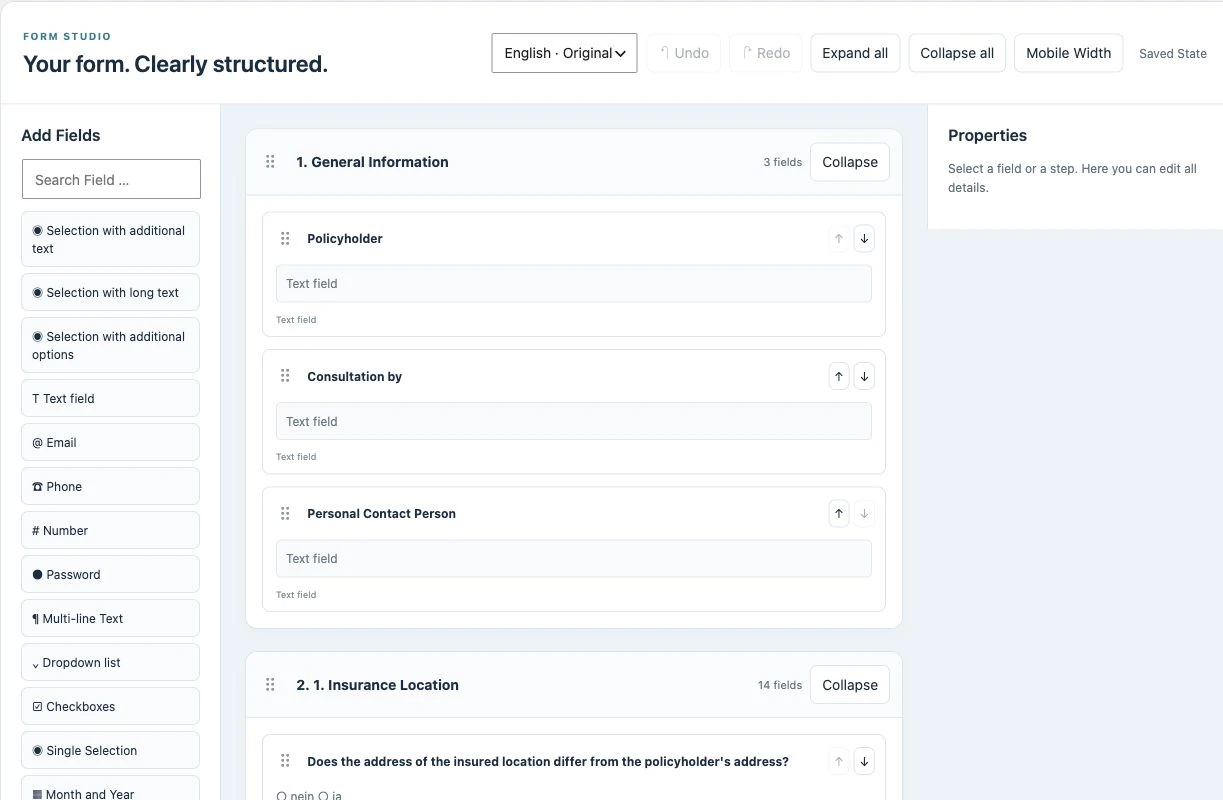
Your next workflow is ready to start.
Choose a template, adapt it to your business and share a link or QR code. Your customers complete the process on your own WordPress website.
Adjust questions, wording and branding to your process in the editor.
On a phone or computer, in their language, with clear steps.
Keep answers and files together with the submission and use the PDF for the next step.
Depending on your plan, add conditional questions, signatures, reminders and AI assistance.
Multilingual forms with WPML integration
Reach more people with forms in German, English, French, Italian and Spanish – directly on your own website.
Included in Basic, Pro and Business.
Requesting missing information, assigning attachments, and transferring information takes time. A clearly structured form can reduce these detours.
Test your own process in the public demo. This way, you can see exactly how MCFP can simplify your daily work.
Test your workflow ↗Design the process in the backend. Your customers see exactly the steps they need. These recordings show the real plugin in our public demo.
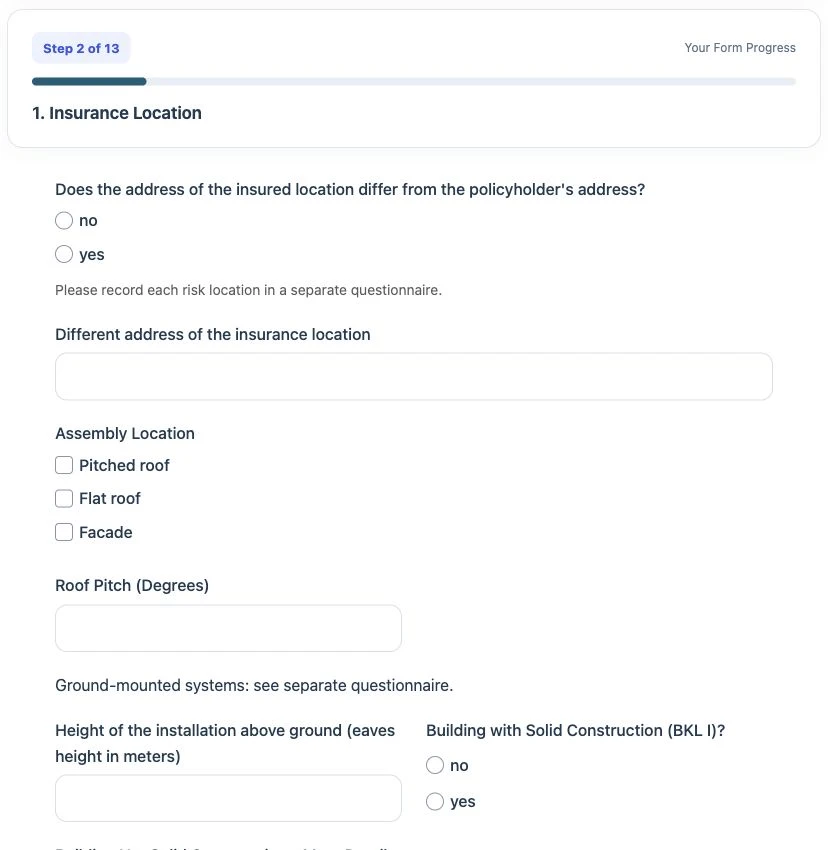
Instead of a long list, your customers see a guided process. They can save entries, continue later, and add documents directly to the process.
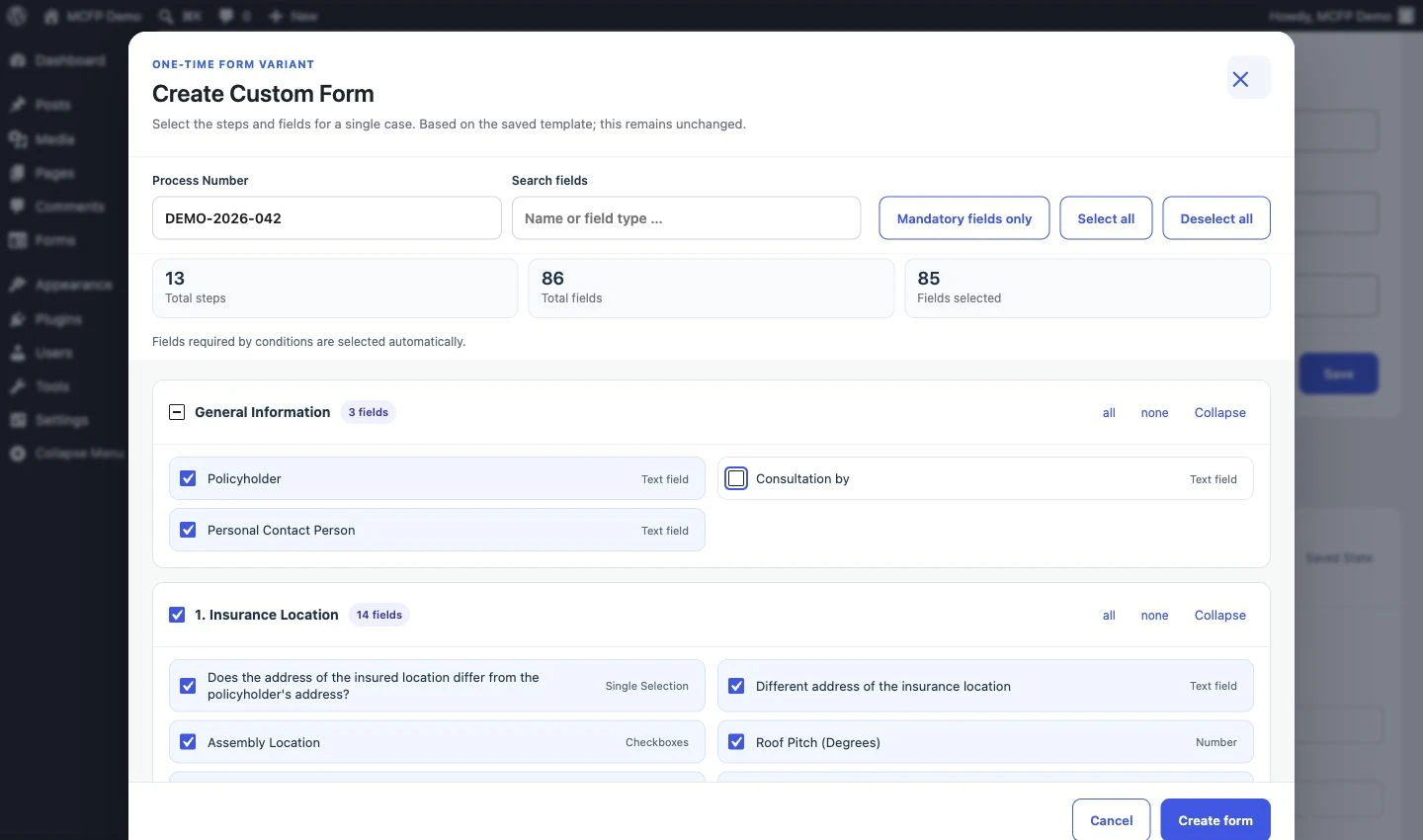
Use an existing template, design your own workflows, or assemble a custom form from the required fields. The original template remains intact.
Split long forms into understandable steps. Your customers see where they are and what comes next.
Create your own templates or use the library released for your package. For individual cases, assemble suitable variants.
Link data with uploads, signature, and PDF output. Processing stays on your WordPress website.
MCFP is usable for your own workflows in various professions. The package library transparently shows which official templates are already available.
Structured recording of claims, risk assessments, and recurring customer information.
MCFP for insurance brokers →Capture repair reports, tenant concerns, and handovers structured on your website.
Discover Tenant Service →Digitally organize owner inquiries, property recording, viewings, and handovers with ready-made templates.
MCFP for real estate agents →Digitally record patient intake, anamnesis, and practice concerns – via link or QR code on your own website.
MCFP for doctors & medical practices →Organize inquiries, service, personnel, events, and projects with ready-made forms on your WordPress website.
Discover general forms →Clearly capture organizational requests and recurring information. You determine content, process, and usage.
View all professional groups →Design fields and steps in the builder. Select templates, copy, and customize for your process.
Share forms via a link or embed on your website. Set branding and appearance appropriately.
After purchase: Download the plugin, install it in WordPress, activate the license, and test your first form.
View illustrated setup →Three product demos show the builder, customer view, and features in action. You can then test directly in the public backend and frontend.
To the demo videos →Yes. MCFP runs as a plugin on your own WordPress website. You need administrator access. Hosting is not included in the package.
The library is growing. The package page only shows actually published templates and their package assignments. You can design your own forms in the builder.
Yes. Job days help with selection. The package level determines which official templates and functions your license unlocks.
In the customer area you will find download and license. Our illustrated guide accompanies you from installation to the first test form.